SET REQUIREMENTS
RECORD DATA
CONFIRM QUALITY
From WPS to Digital Weld Records: Building a Connected Welding Quality System
By First Welding Certification Technical Editorial Team
6 Min Read
28 Aug 2026
Table Of Contents
- What a connected welding quality system should achieve
- Start with the WPS and WPQR
- Give every weld a unique identity
- Connect material and consumable records
- Link the qualified person to the weld
- Capture production and welding data
- Connect inspection and NDT results
- Build the final digital weld record
- A Practical implementation roadmap
- Common mistakes to avoid
- The Result: One Weld, One Connected Record
- Frequently Asked Questions
HOW A CONNECTED WELDING QUALITY SYSTEM WORKS
01
WPS
02
WELD ID
03
MATERIAL
04
WELDER
05
DATA
06
INSPECT
Digital Weld Record
One Weld ID connects the evidence needed to produce, inspect and accept the weld.
IDENTITY
Weld ID
W-104-027
Component A-104
QUALITY RECORDS
WPS / WPQR ✓
Material ✓
Welder ✓
Welding Data ✓
QUALITY RECORDS
VT ✓ PASS
UT ✓ PASS
FINAL STATUS
ACCEPTED
A company may have approved WPSs, qualified welders, material certifications, inspection results, and welding logs—but still struggle to answer a simple question:
“Show me all the evidence that proves this weld was done correctly.”
This isn’t about poor documentation if it means looking through Excel files, paper weld maps, WhatsApp messages, PDF folders, and inspection reports.
The real problem is that the documents are not connected.
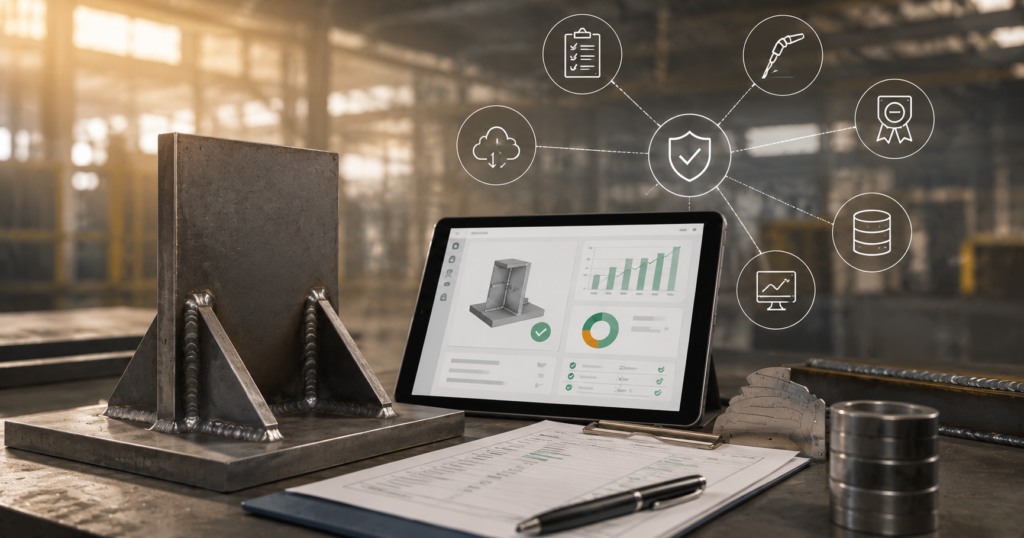
A connected welding quality management system is one that links information from before, during, and after welding into a single record.
This article explains how to set up such a system without needing to fully digitize the entire manufacturing process.
What a connected welding quality system should achieve
A digital weld record is like an electronic ID card for a weld.Instead of keeping information in separate places, the best way is for the system to create a linked chain like this:
Material -> Component -> Weld Identity -> WPS/WPQR -> Welder/Operator -> Weld Data -> Inspection/NDT -> Repair -> Final Acceptance.
The exact information that needs to be stored depends on the relevant standard, the contract, and the product and quality plans. The main idea is simple: each important quality document should be connected to the production of that product. This approach works well when a documented welding control process is needed, such as EN ISO 3834, which covers welding procedure, people, materials, equipment, inspection, testing, and quality records.
Start With the WPS and WPQR
Do not start the digitalization process by buying software.
Ask:
“What document controls the weld?”
For every weld in production, state which WPS is being used, along with its revision number, and the WPQR and the qualified range.
A practical digital record of WPS may include:
| FieldExample | |
|---|---|
| WPS number | WPS-045 |
| Revision | Rev. 03 |
| Welding process | 135 |
| Parent material | S355 |
| Joint type | Butt joint |
| Position | PA |
| Consumable | ER70S-6 |
| Thickness range | As qualified |
| WPQR reference | WPQR-021 |
| Status | Approved give me this in a excel file |
The key part is managing revisions. The production team should not accidentally use an outdated WPS just because an older PDF is available.
If your company needs procedure qualification or approval, your WPS and WPQR can serve as the technical foundation before the documents are digitized.
Give Every Weld a Unique Identity
Many paper systems can get hard to manage.
Instead of saying “the weld on assembly 14,” give each weld a unique ID.
For example:
Project: P-2026-018, Assembly: A-104
Weld ID: W-104-027
This weld ID can then be shown on the weld map, production record, inspection request, and final quality report.
For bigger projects, this can be even better by using QR codes or barcodes.
Instead of searching through papers to find the right record, a technician can just scan the weld and open the record right away.
Connect Material and Consumable Records
The weld record should not stop at the WPS level.
When needed because of the project or the quality management system, the weld should be able to be traced back to the material it was made from.
A good way to track this is:
Heat Number → Material Certificate → Component → Weld
For example:
Heat Number 45871 → Material Certificate 3.1 → Plate P-204 → Weld W-104-027
You can also add information about the materials used, like filler metal batch number, electrode details, and shielded gas information.
This is especially useful if problems with the material or the consumables come up later.
It helps manufacturers focus on the specific components and welds involved instead of checking the entire production batch.
This approach is especially helpful for structural manufacturers because of the material traceability requirements in EN 1090.
Link the Qualified Person to the Weld
The next issue is:
Who performed the welding?
This needs to connect the Weld ID with the correct welder or welding operator and their qualification status in the electronic records.
According to the process, it could be the welder’s qualification based on EN ISO 9606 or the welding operator’s qualification based on ISO 14732.
The welding personnel certification provided by First Welding Certification Pvt Ltd includes both, including the latest version of ISO 14732:2025 for mechanized and automated welding personnel.
A good system should make it easy to check:
Person ID
Certificate number
Welding process
Position
Material or product range
Qualification status
Continuity, if applicable
This would prevent the common problem where a weld is recorded, but it’s hard to confirm who did it and whether they were qualified.
Capture the Welding Data That Actually Matters
Digitalisation doesn’t mean you have to record every possible setting of a machine just because it can provide them.
First, think about what information you really need to carry out your quality checks.
Depending on your process and requirements, this might include things like:
– Current
– Voltage
– Wire feeding speed
– Travelling speed
– Heat input
– Welding time
– Gas flow
– Machine ID
– Program or job number
– Date and time
The most important thing is to connect the production data to the specific weld or other production activity.
The main idea is to link relevant production information to the exact weld or process step.
For example, instead of keeping all the machine’s welding settings in a general log, you should link the important values to the Weld ID, equipment ID, program number, and date/time.This way, the data is useful later when checking for issues, verifying records, or preparing inspection documents.
For robotic welding, the data collected should also be considered in the context of the whole robotic cell.
This includes process settings, consumables used, shielding gas, and how the joint is positioned.For more details, see our article on What Manufacturers Need to Monitor Beyond the Robot for a practical overview of what to watch for in the robotic welding process.
Connect Inspection and NDT Results
A digital weld inspection record becomes much more meaningful when the inspection process is connected to the same Weld ID.
For example:
W-104-027 → VT → Pass
OR
W-104-027 → UT → Indication → Repair → Re-test → Pass
This type of record can include:
– Type of inspection
– Inspector’s name
– Date of inspection
– Acceptance status
– Report number
– NDT outcome
– Indication or defect found
– Status of any repair done
– Result of the re-inspection
For companies that use non-destructive testing, it’s also important to know that the skill and experience of the inspector matter.
The ISO 9712 certification is a standard that confirms the qualifications and competence of people who perform non-destructive testing.
That’s why there’s an important difference:
Software keeps track of the records and links the information, but it’s the trained professionals who actually carry out the inspection and make the technical judgments.
Build the Final Digital Weld Record
At this point, one Weld ID is enough to cover everything.
Example: Digital Weld Record
Weld ID: W-104-027
Component: A-104
Drawing: DWG-104 Rev B
Material: S355 / Heat 45871
WPS: WPS-045 Rev 03
WPQR: WPQR-021
Welder: W-018
Process: 135
Machine: MIG-07
Production data: Recorded
VT: Accepted
NDT: UT-026 / Accepted
Repair: None
Status: ACCEPTED
This is much better than having a bunch of unrelated PDF files.
It also makes it easier to answer an auditor’s question like:
“Give me the evidence for this weld.”
It’s simpler to show the digital record than to gather all the papers.
A Practical Implementation Roadmap
Don’t attempt to convert everything into digital format all at once.
Follow this sequence of steps:
Step 1 – Record the current workflow
Write down how materials, welding procedures, people, production, and inspection records are currently handled.
Step 2 – Set up standard ID rules
Create uniform IDs for projects, assemblies, materials, welding procedures, welds, and inspection reports.
Step 3 – Gather and organize key documents
Start with welding procedure specifications, welding procedure qualification reports, certificates, and other standard procedures.
Step 4 – Create weld IDs
Connect each weld to an assembly or use a weld mapping system.
Step 5 – Link people and materials
Attach qualified personnel information to material details.
Step 6 – Connect production data
If needed, link information about welding machines or robotic cells to production records.
Step 7 – Link inspection and testing reports
Attach inspection details, test results, repair records, and any follow-up inspections.
Step 8 – Create the final quality package
The system should be able to generate organized records for customer inspections, audits, and project handover.
This approach is more practical than trying to fully digitize everything at once.
Common Mistakes to Avoid
Just because a poorly managed Excel process is turned into a software tool doesn’t mean it becomes a well-organized and high-quality system.
Not having version control
An approved WPS and an outdated WPS should never be treated as the same thing.
Taking data out of context
Seeing a reading like 250A on a machine isn’t helpful if you don’t know which weld, WPS, part, or manufacturing process it came from.
Separate inspections
If you have a digital welding record, your NDT report is likely in a different folder altogether.
Mixing up software with certification
Yes, digital tools can help with compliance, but they can’t replace qualified people, approved procedures, inspection processes, or the requirements of the relevant standard.
In the case of EN ISO 3834, it refers to the overall welding quality system, not just digital tools.
The Result: One Weld, One Connected Record
The goal isn’t to add more paperwork on a computer screen.The goal is to make high-quality documentation easy to access.
A well-developed welding quality system should help the manufacturer move from saying, “We have the papers somewhere,” to being able to quickly find the weld, its related WPS, qualified welders, track the materials used, check production data, and retrieve test results.
This is the real benefit of digital weld records.
And when your quality system needs to show control over welding processes, qualified personnel, inspections, and traceability, digital records can be a helpful tool to meet standards like EN ISO 3834 — not just another paper task.
Frequently Asked Questions
What is a digital weld record?
It is an electronic record that contains information relating to a particular weld, including its Weld ID, WPS, material type, welder/operator, production information, inspection information, NDT reports, repairs and acceptance.
What should be in a digital weld record?
This will vary based on the product, contract and requirements. However, Weld ID, component/drawing number, WPS/WPQR, material identification, personnel qualification, welding data, inspections/NDT information, repairs and acceptance information may be required.
How does WPS relate to digital weld records?
The Weld ID needs to reference the relevant WPS that is approved for use in that production operation. In cases where WPQR information is required, this should be linked back to the applicable WPQR and qualification range.
Is it possible to have robotic welding data in digital weld records?
If the equipment allows for it, yes. Information on things like current, voltage, wire feed rate, travel speed, gas flow, welding time and equipment identification should be added to the digital weld record.
Do digital welding documents substitute ISO 3834 requirements?
No. The digital solution allows you to control, connect and access quality information, but this does not replace the necessary quality procedure, qualified personnel, inspections and technical control.
Make Every Weld Audit-Ready
First Welding Certification Pvt Ltd (PRVA ZVÁRAČSKÁ, a.s.) offers expert services for welding certification and ensuring compliance.